PFSProject
PFSProject is a web app that brings exam scheduling online. The registrar's office opens the sessions, the professor picks the day on a calendar that shows in green where the exam can go and in red where it can't, and the system checks on its own that there are no conflicts, weekends or dates past the deadline.
It is an academic project, created to propose an alternative to the current way exams are entered and managed at the University of Brescia.
The idea
Every exam session starts with a puzzle. Dozens of professors have to choose the dates of their exams, and those dates have to fit together: two exams of the same year of the same degree on the same day mean students forced to choose which one to skip. Then there are deadlines, weekends, rooms, last-minute corrections.
Today much of this work goes through proposals, cross-checks and manual checks between professors and the office. It works, but it's slow, and mistakes are discovered late.
PFSProject starts from a simple question: what if the calendar itself knew which days are free? Instead of proposing a date and waiting for someone to check it, the professor immediately sees where the exam can go. The rules are no longer a document to remember: they are written into the system, and they apply to everyone.
How it works
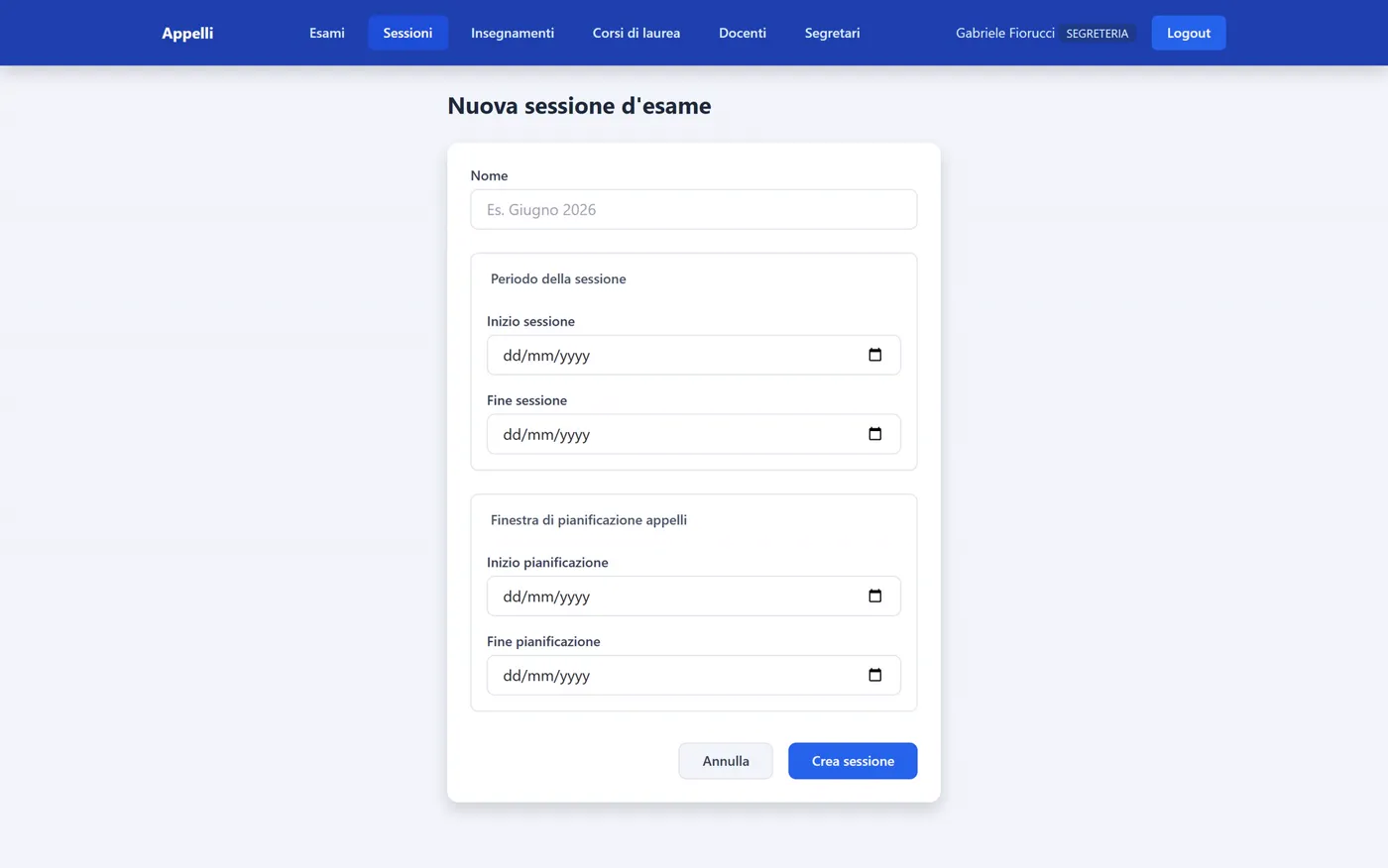
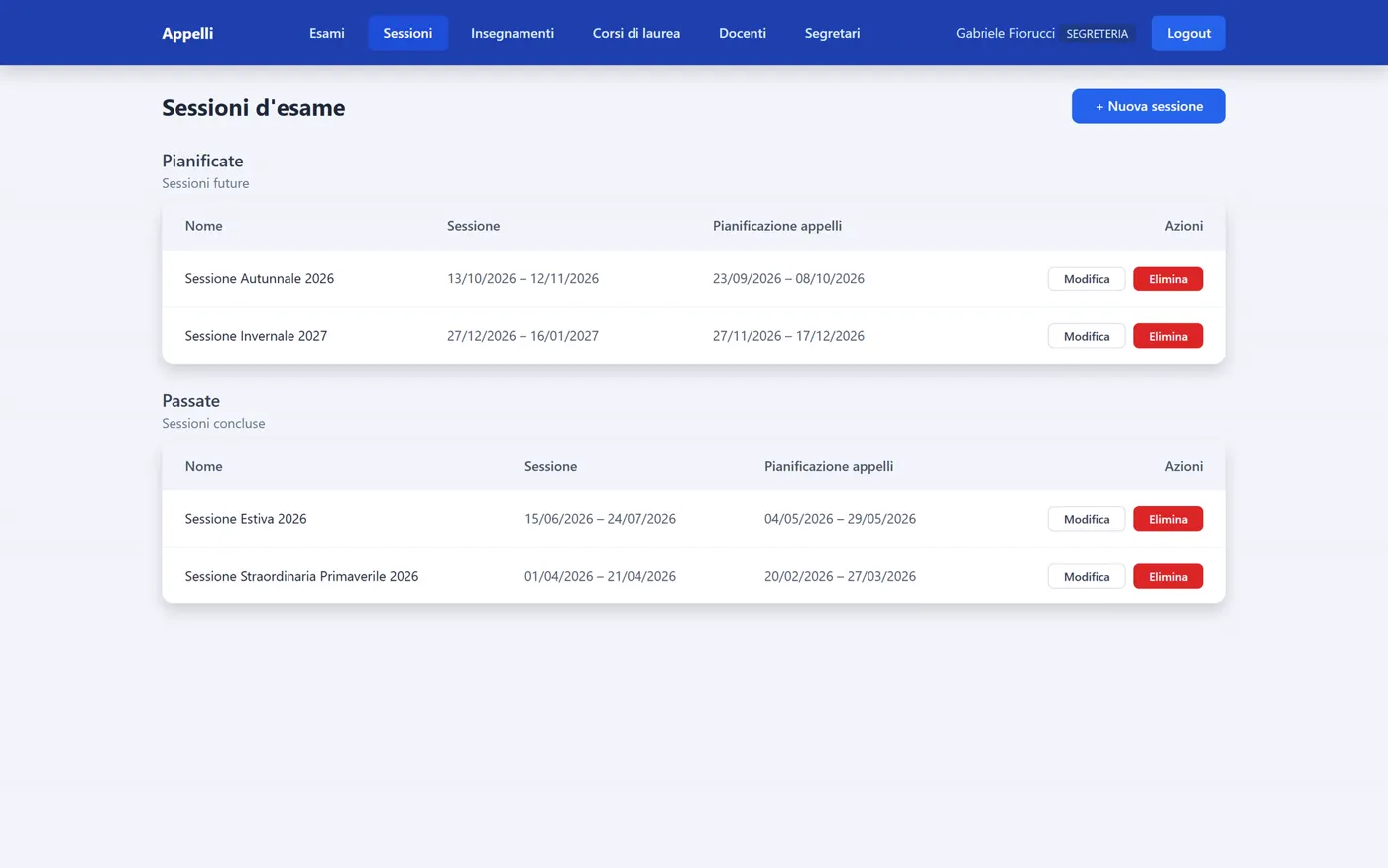
1. The office opens the session. It creates the exam session with two separate periods: when the exams take place and when professors can schedule them. This way scheduling can open well in advance and close a few days before, to freeze the calendar.
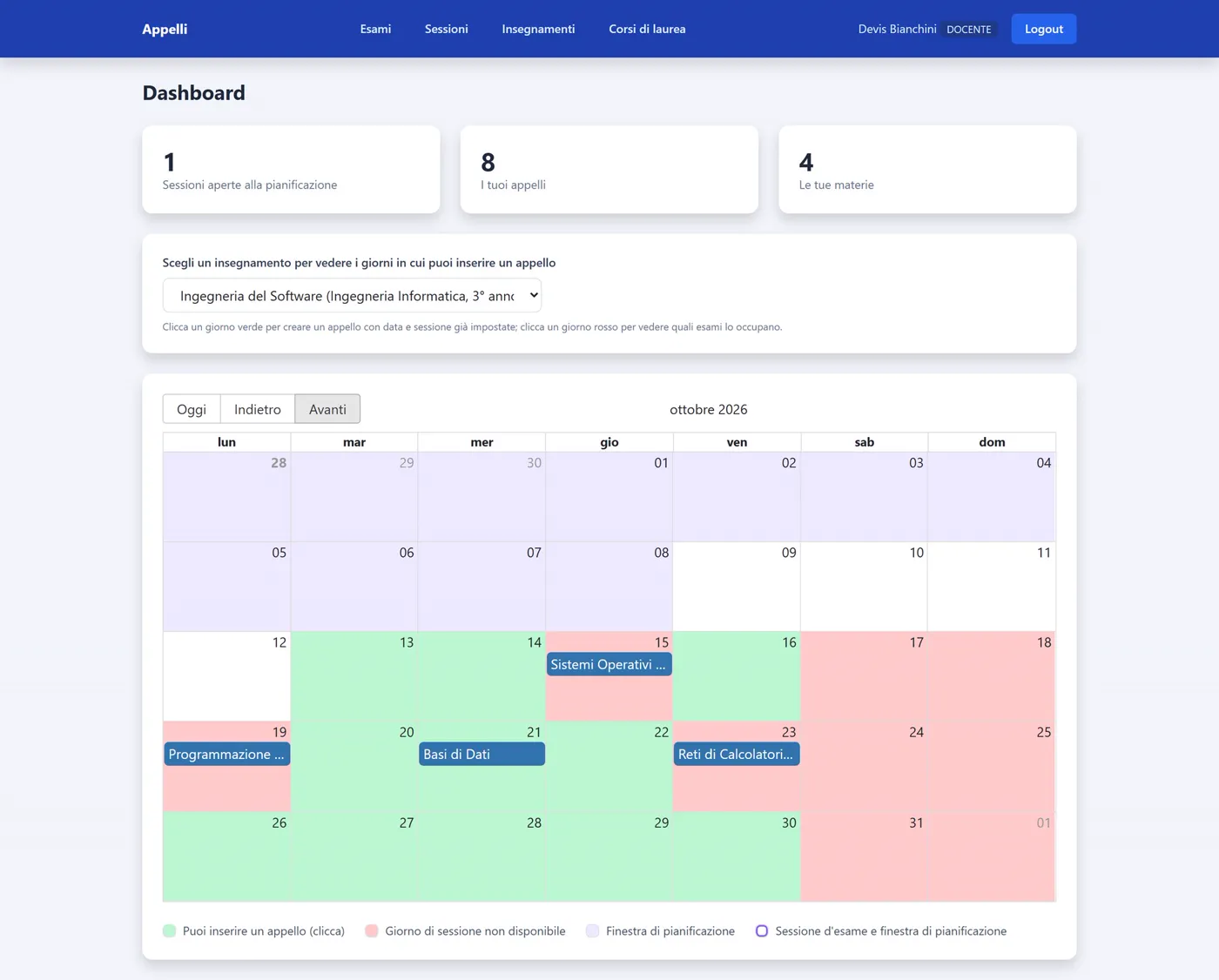
2. The professor picks the day. They select one of their courses and the calendar lights up: green where an exam can be added, red where the day is already taken by another exam of the same degree and year, or falls on a weekend.
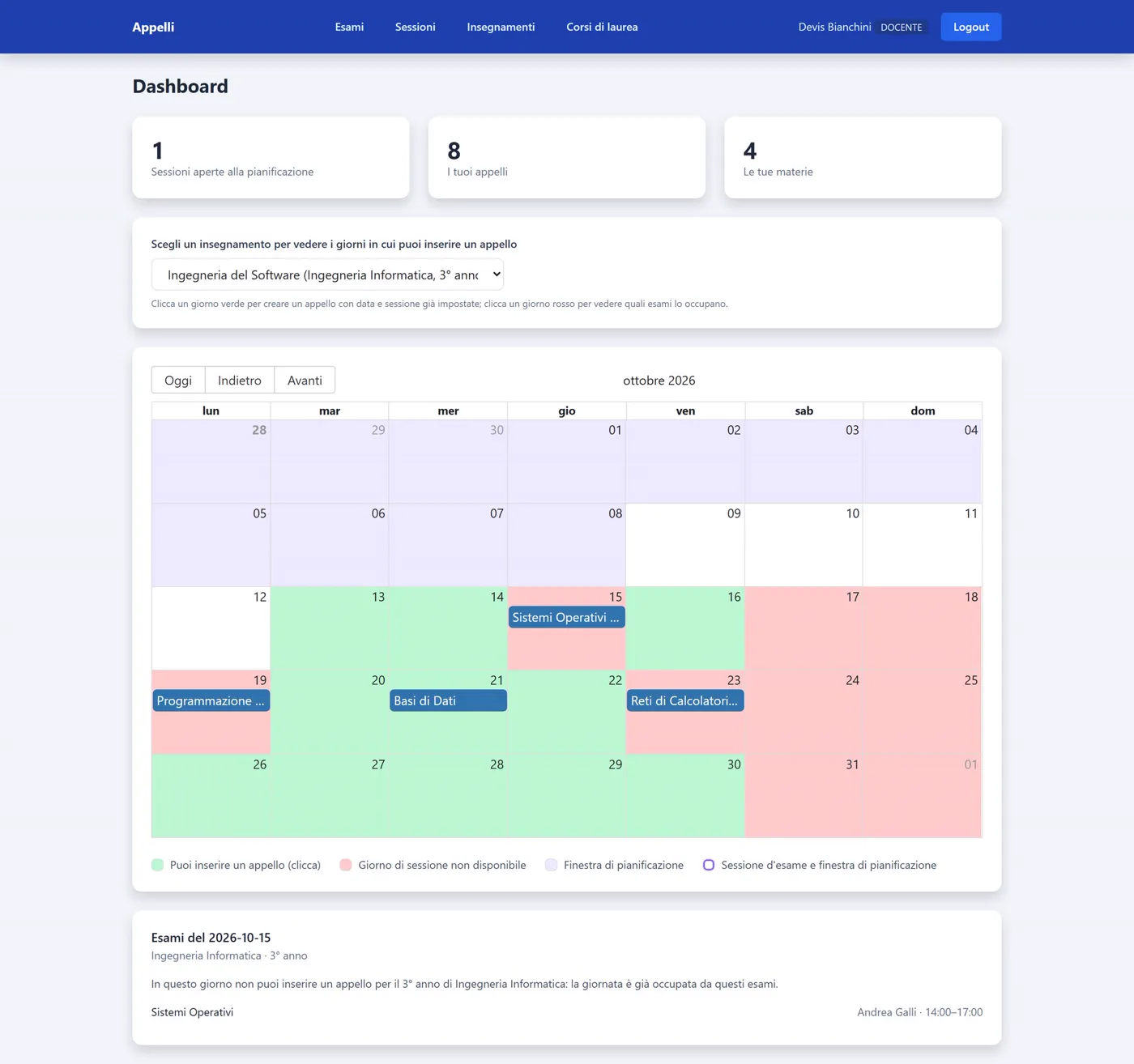
Clicking a red day, the system explains why it isn't available and shows which exams occupy it, with professor and time.
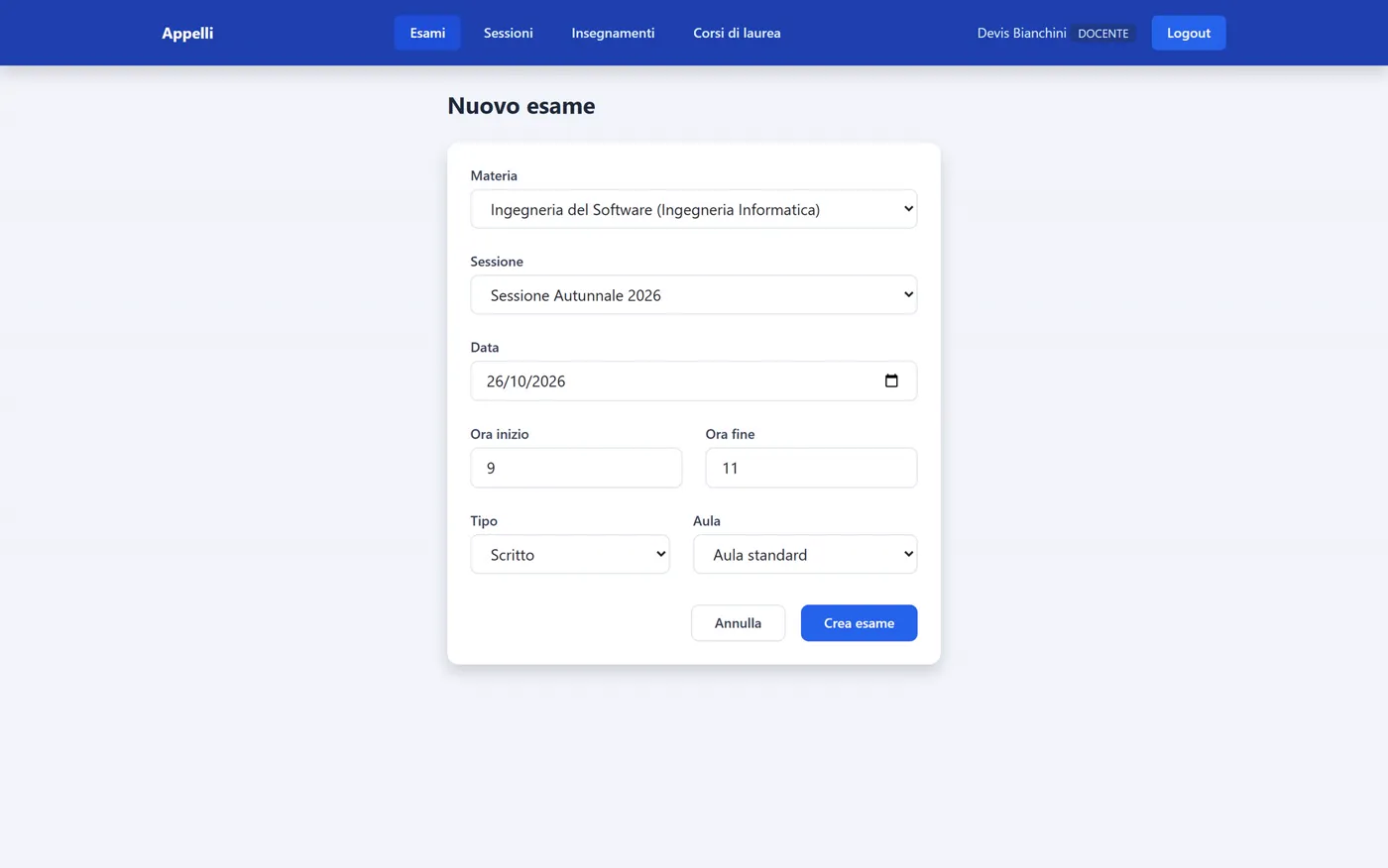
3. One click, and the exam is ready. Clicking a green day opens the creation form with course, session and date already filled in. Only the time, the exam type and the room are left.
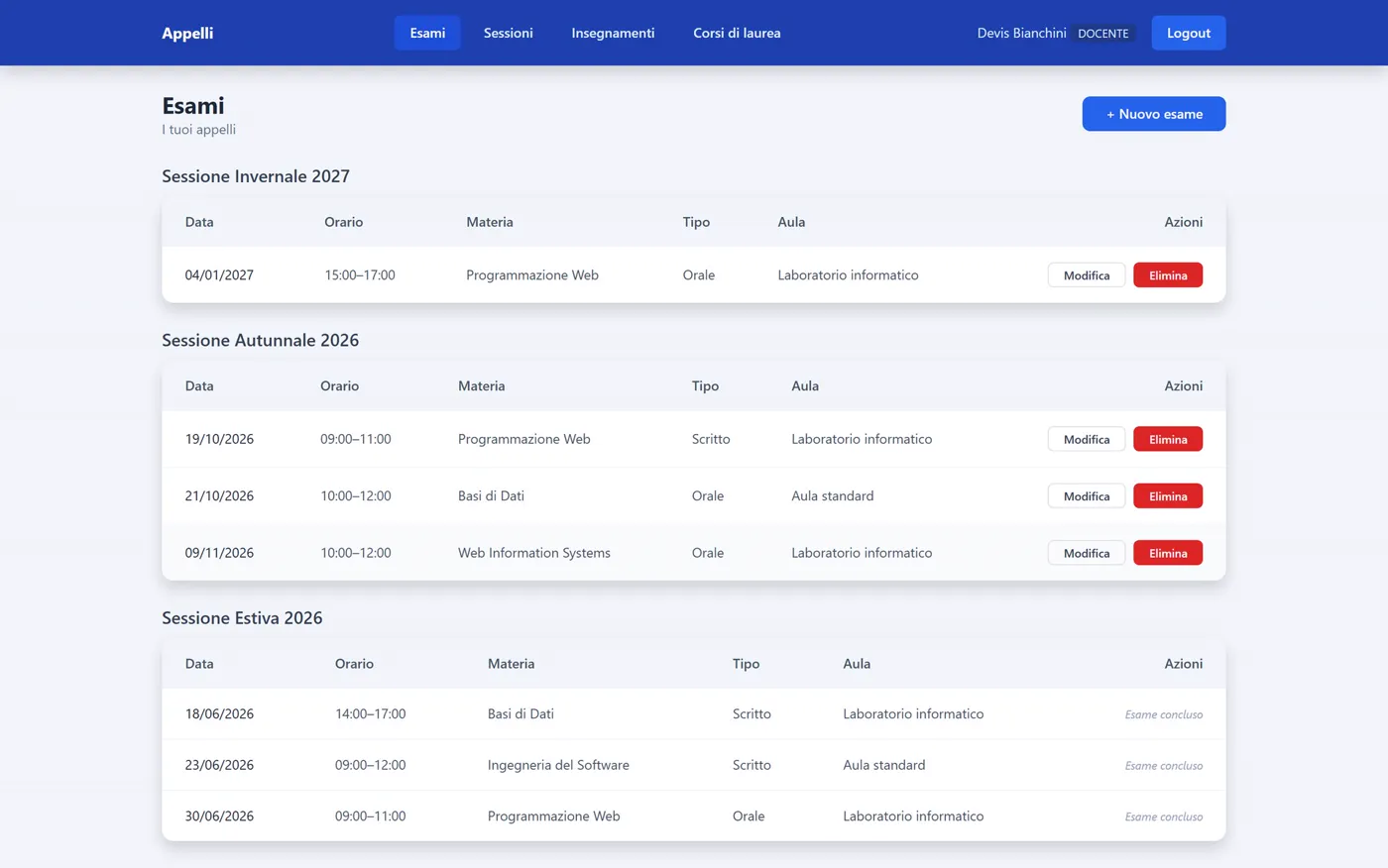
4. Everything in order, session by session. The professor finds their exams grouped by session. Exams already held remain visible but can no longer be edited: the label Exam concluded appears.
The calendar knows the rules
The heart of the project isn't the screens, but the constraints. They are all checked by the server, so they hold even if someone tried to get around the interface.
- No overlaps. For a given degree programme and year there is at most one exam per day: students never face two conflicting exams.
- No duplicates. A course has only one exam per session.
- No weekends. Nothing is scheduled on Saturdays and Sundays.
- Respect the deadlines. Exams can only be added during the planning window, and the date must fall within the session period.
- To each their own. Professors create exams only for their own courses and edit only their own exams.
When something is wrong, the error message says exactly what to fix.
Two roles, one application
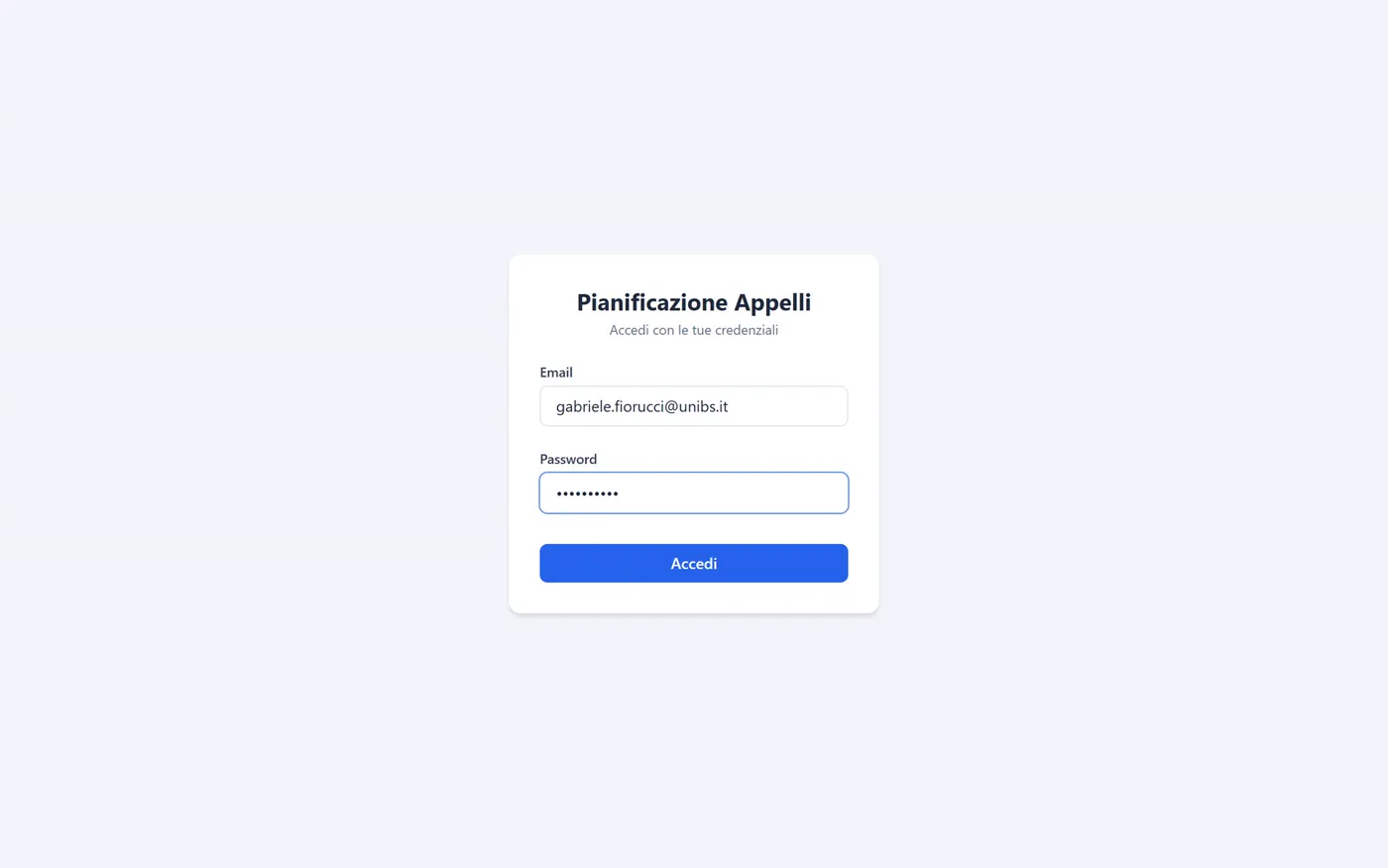
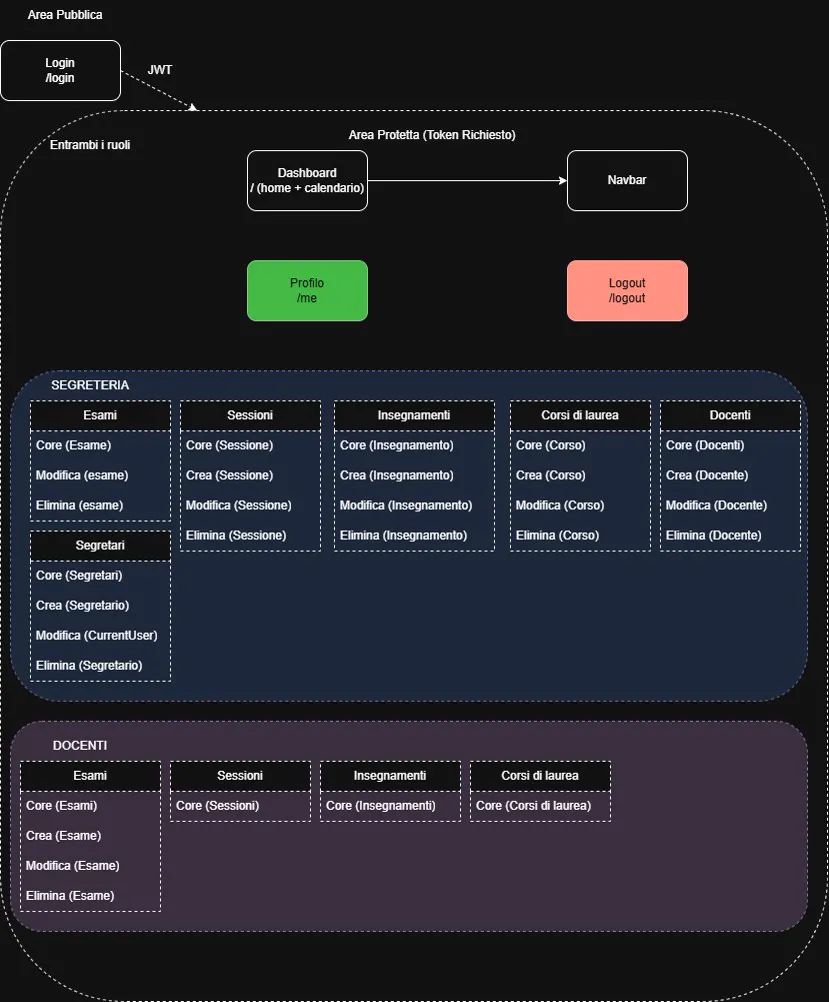
After login, the application automatically opens the right area.
The professor sees their courses, their exams, the open sessions and the personalised calendar.
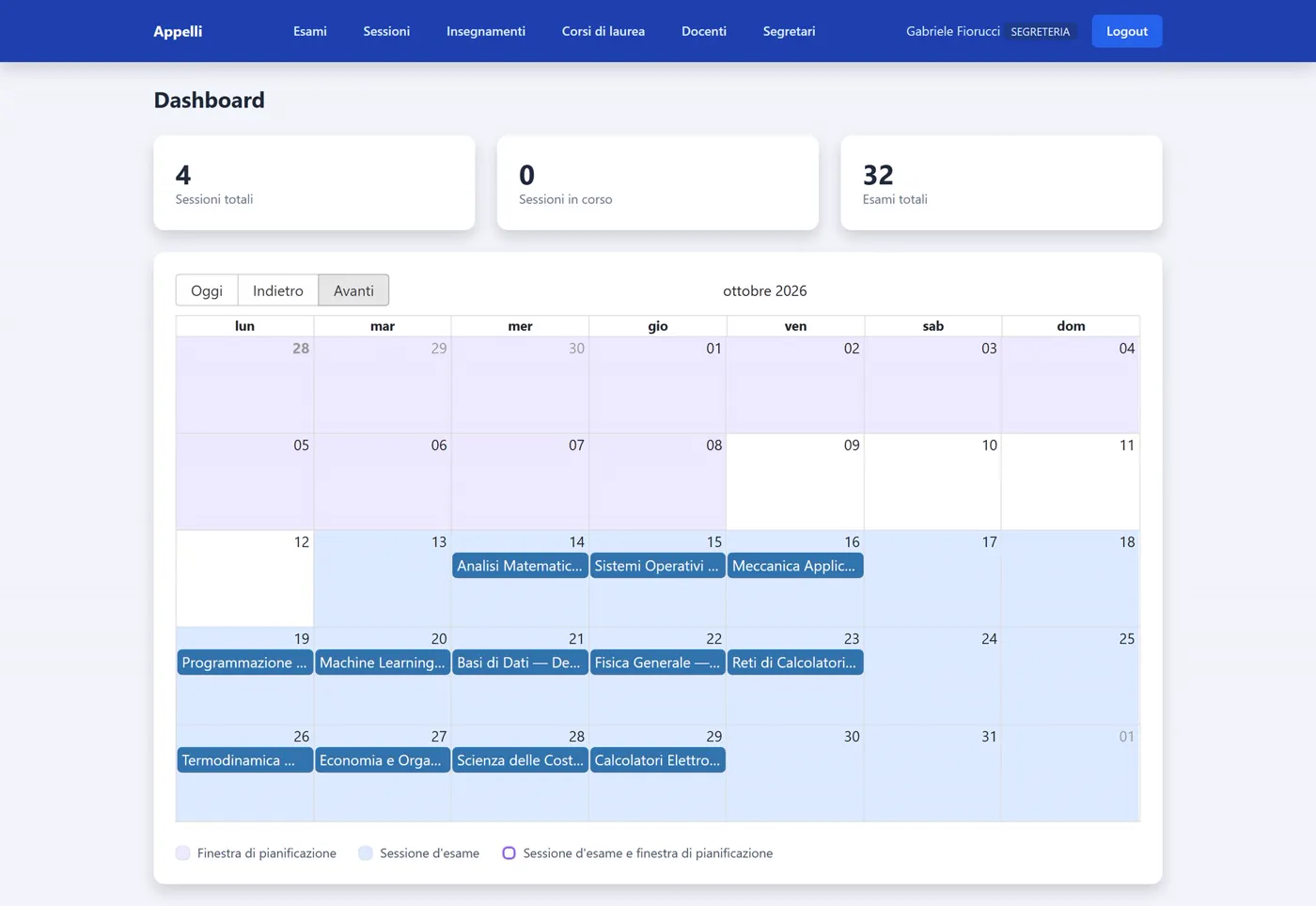
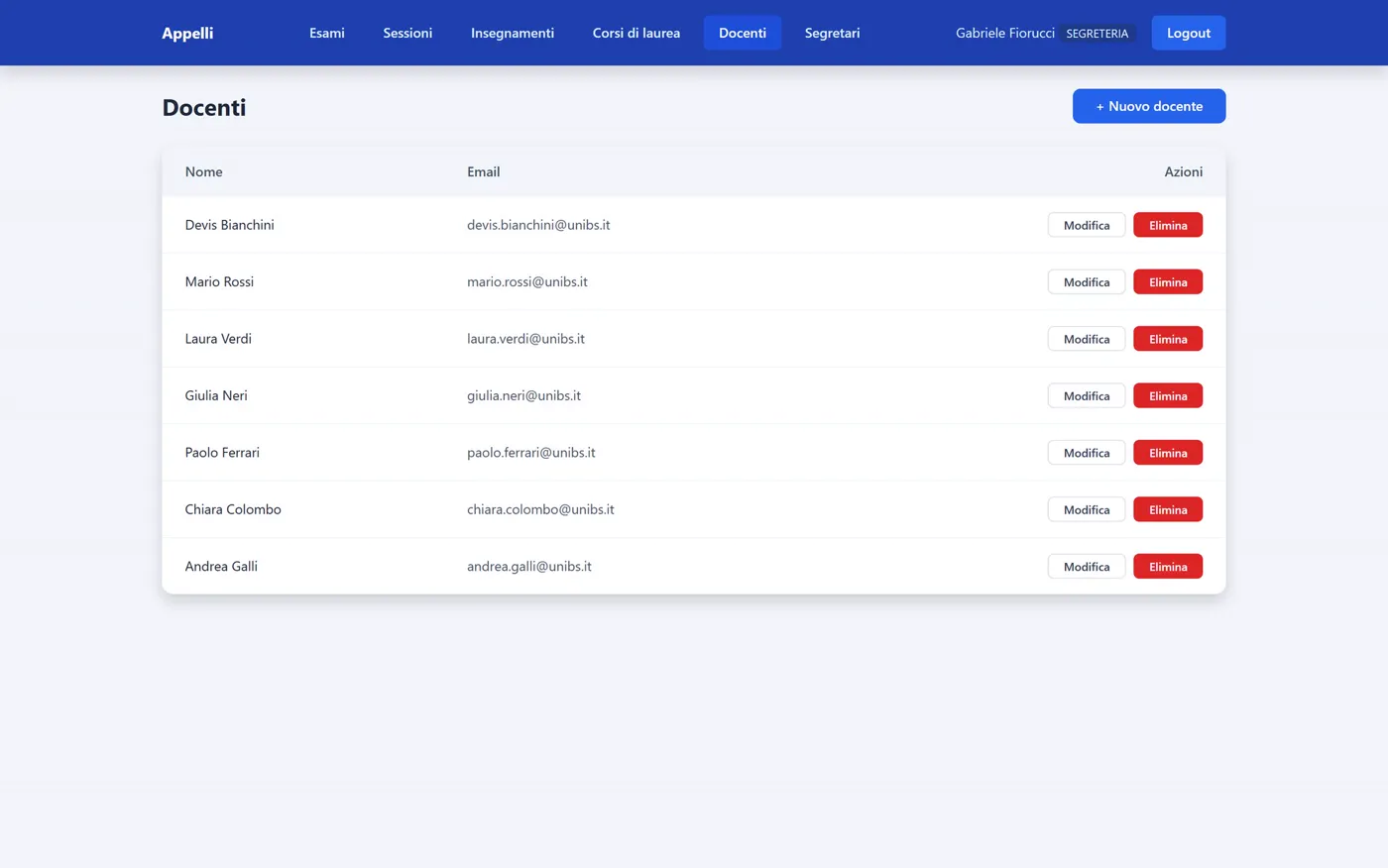
The office has the overall view: the calendar of the whole university, with planning windows and exam sessions highlighted, and full control over sessions, degree programmes, courses and accounts.
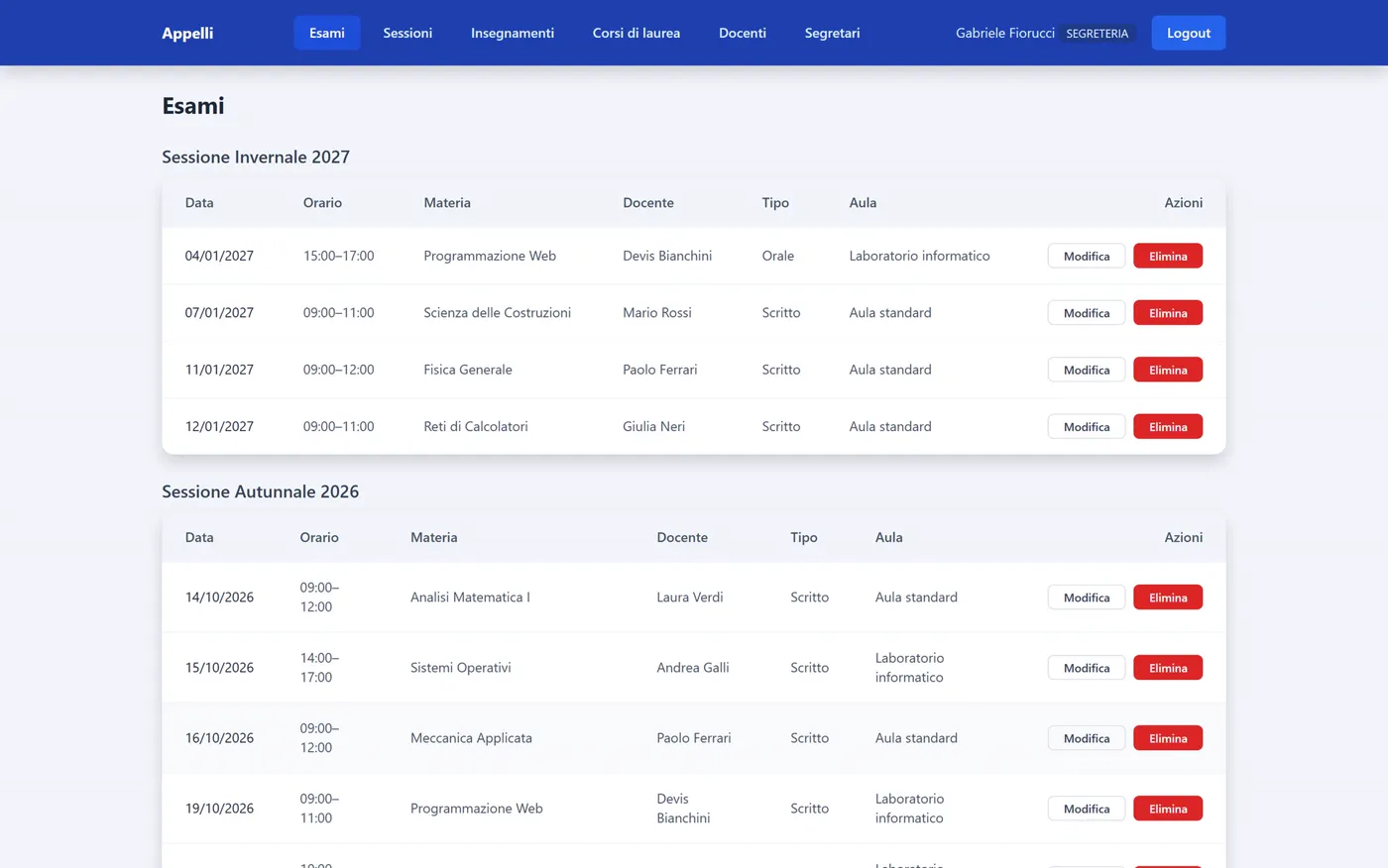
All the records go through the office: each professor's exams, the sessions, the courses with their lead professor, the degree programmes.
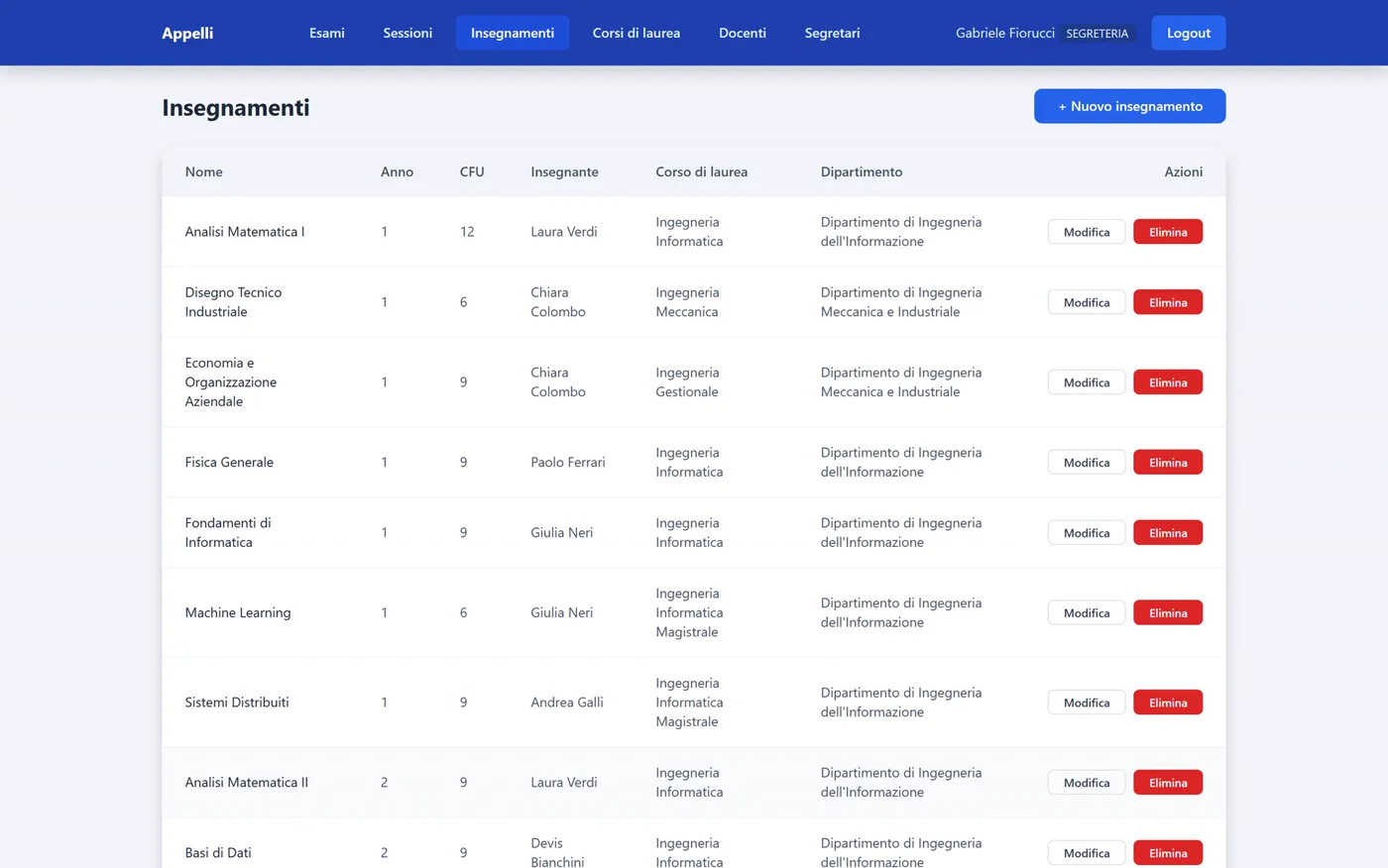
It's always the office that creates accounts for professors and colleagues. Every new account is created in one go, user and profile together: if something goes wrong halfway, nothing incomplete is left behind.
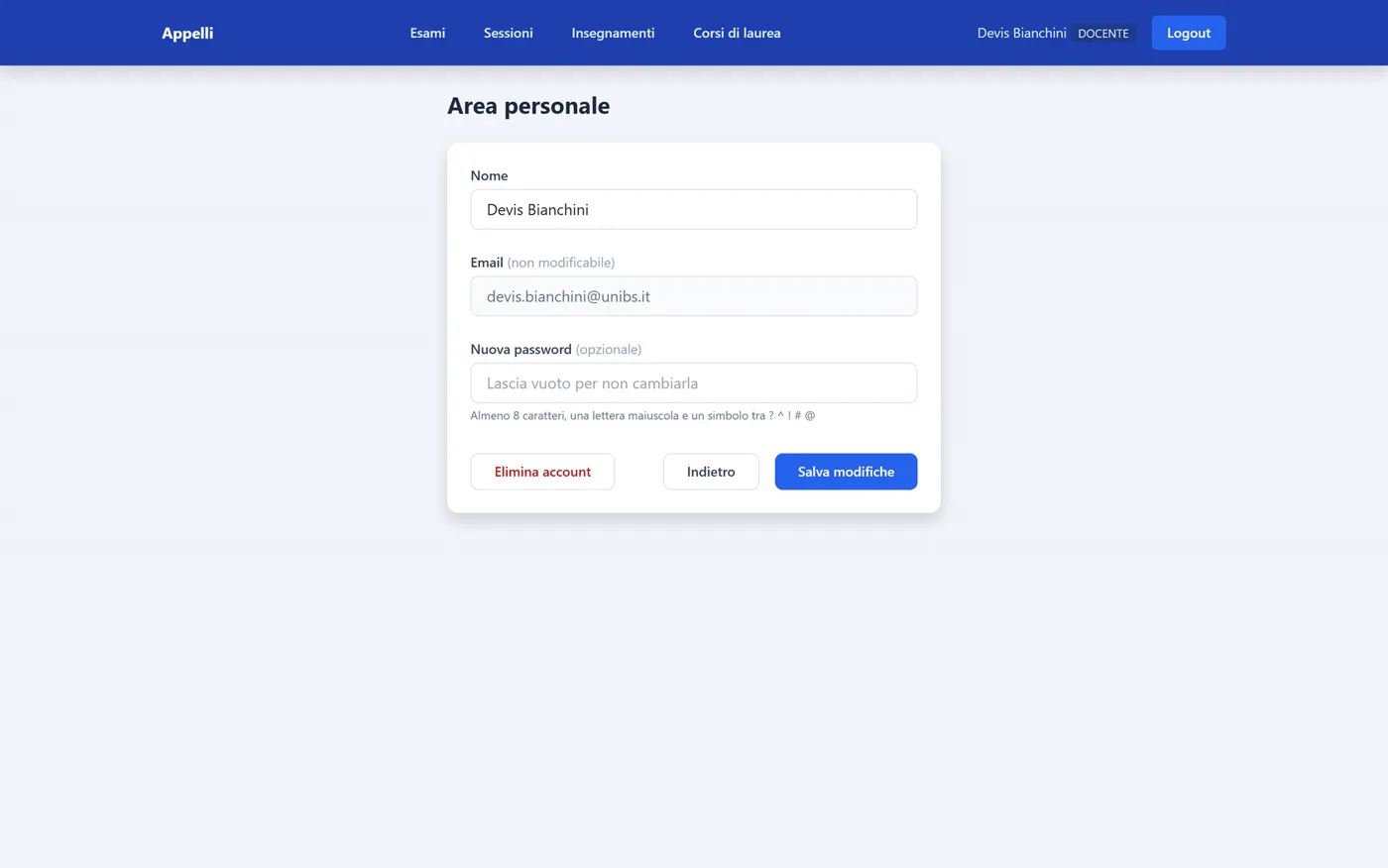
Finally, everyone has a personal area to change their name and password.
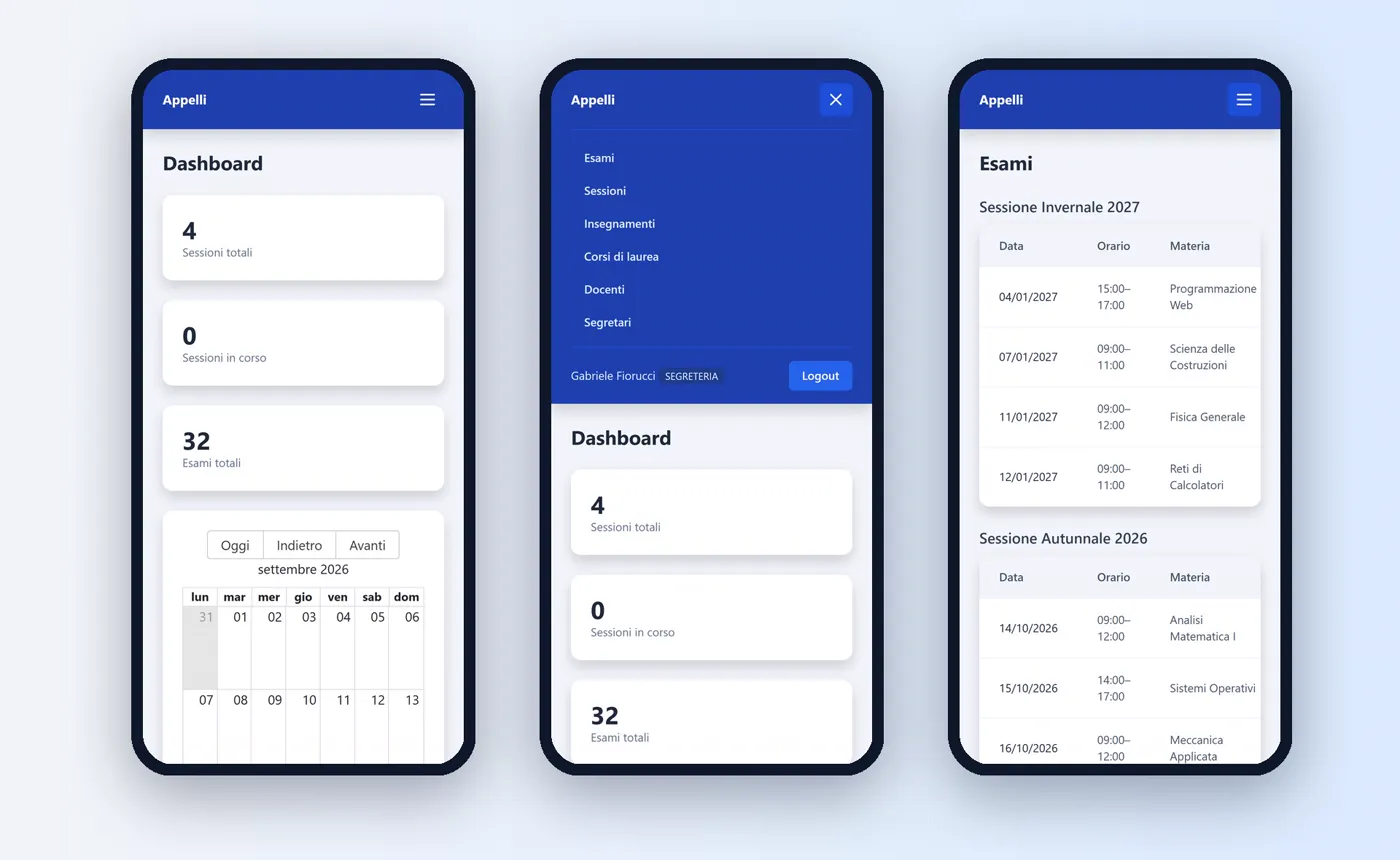
On the phone, too
The interface adapts to any screen: the menu collapses, tables compact, the calendar stays readable. A professor can check their exams even between one lecture and the next.
On video
How it's built
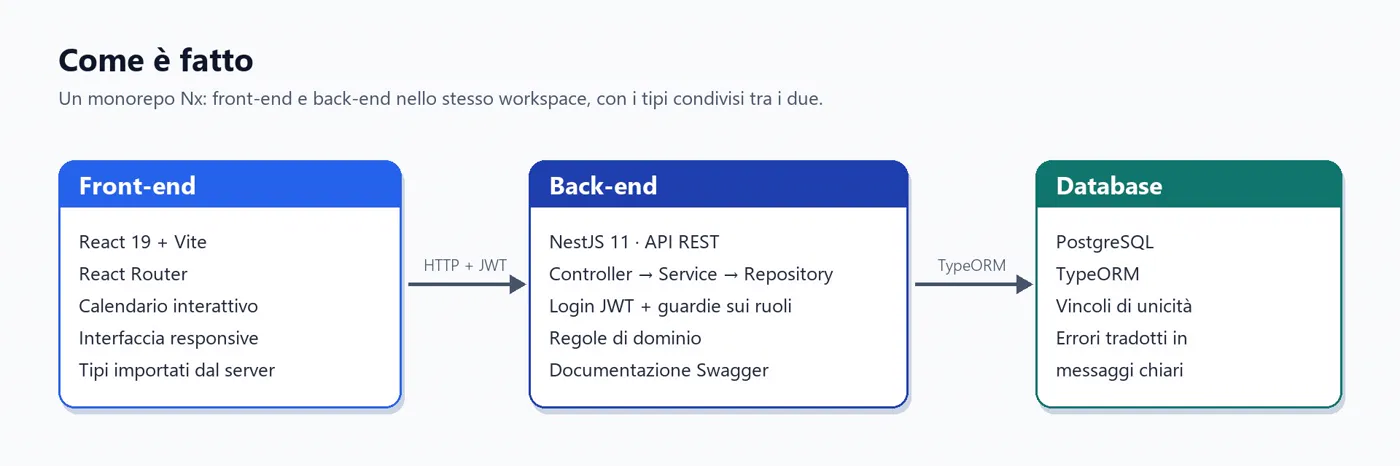
An Nx monorepo: front-end and back-end in the same workspace, with types shared between the two. The React 19 and Vite front-end talks to a NestJS 11 REST API over HTTP with JWT tokens; the back-end applies the domain rules and role guards, and stores data in PostgreSQL through TypeORM, where uniqueness constraints are translated into clear messages.
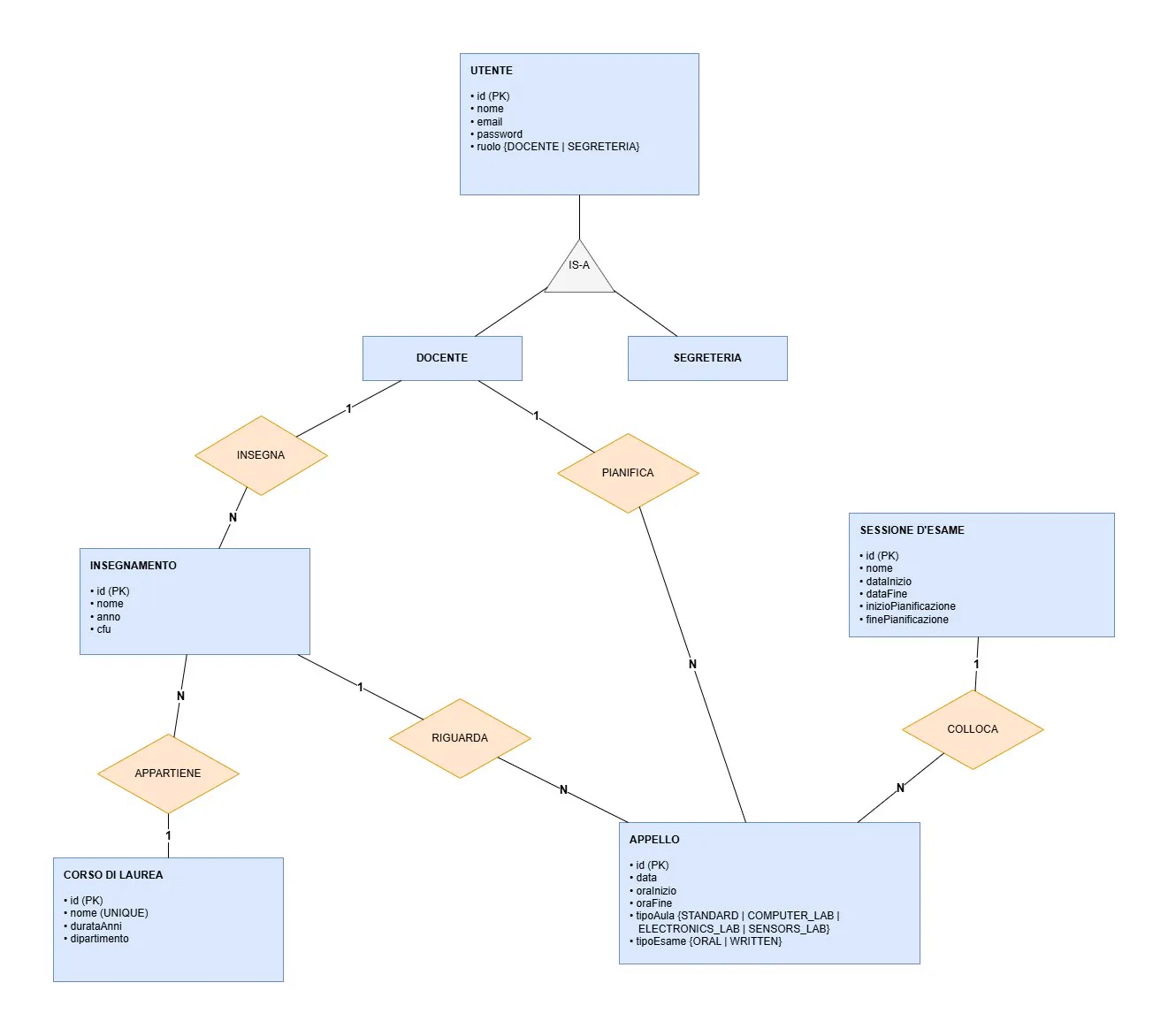
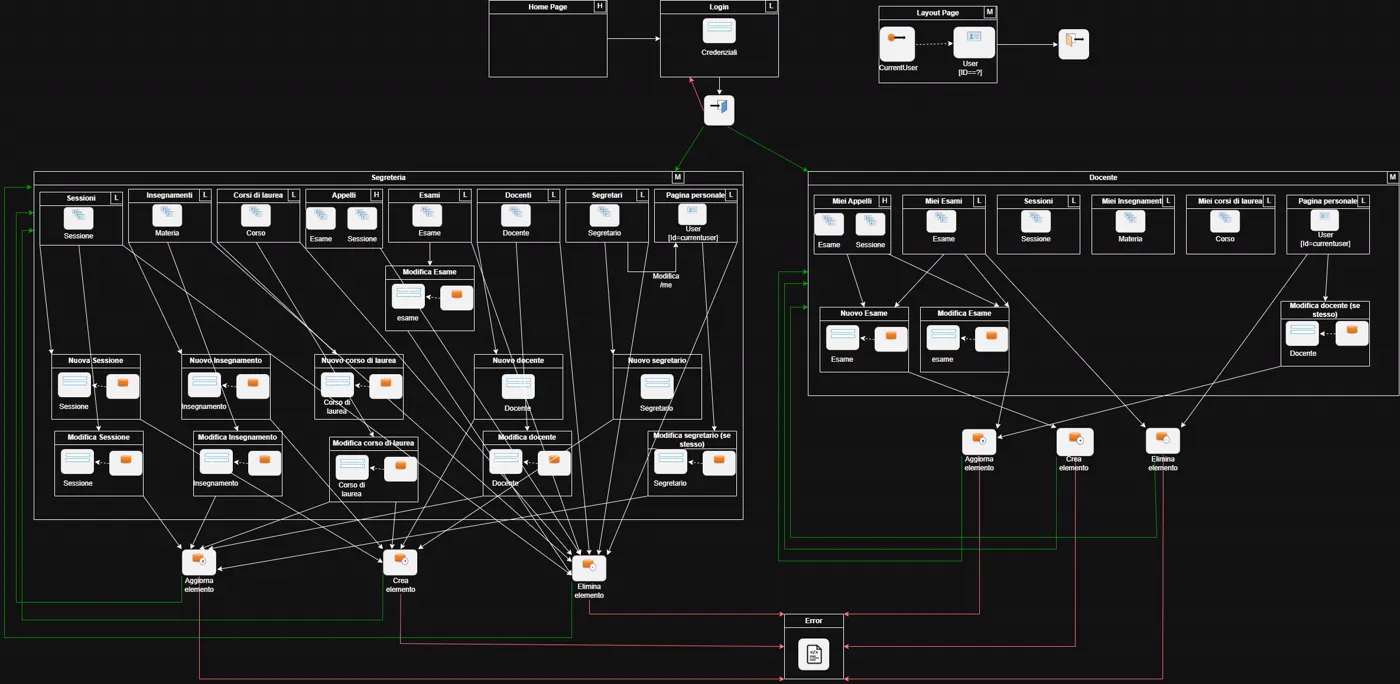
Before the code, the design: the data model, the page design and the navigation map between screens.
The project at a glance
| What it is | A web app for scheduling university exams, with a calendar that enforces the rules on its own |
|---|---|
| Why | Academic project designed to replace the current way exams are entered and managed at the University of Brescia |
| For whom | Academic offices and professors |
| Platform | Web, on desktop and phone |
| Language | Italian |
| Built with | TypeScript, React, NestJS, PostgreSQL, TypeORM, Nx |
| Context | Full Stack Web Application Design course |
| Author | Gabriele Fiorucci: design, back-end and front-end development |
Browse the code: github.com/GabrieleFiorucci03/PFSProject ↗
Future developments
- Login with university credentials (SSO), without separate accounts
- Room management: capacity, availability and automatic booking
- Student area to view the exam calendar of their degree programme
- Email notifications when planning windows open and close
- Calendar export (PDF, iCal) and integration with university systems